Window and door measurements on a photo, one board per job
Measure each opening with your tape as usual, then write the numbers where nobody can misread them: on a photo of that window or door. Lekh keeps every opening of a house on one board, with arrows, sizes and notes, so the order and the install crew see exactly what you saw.



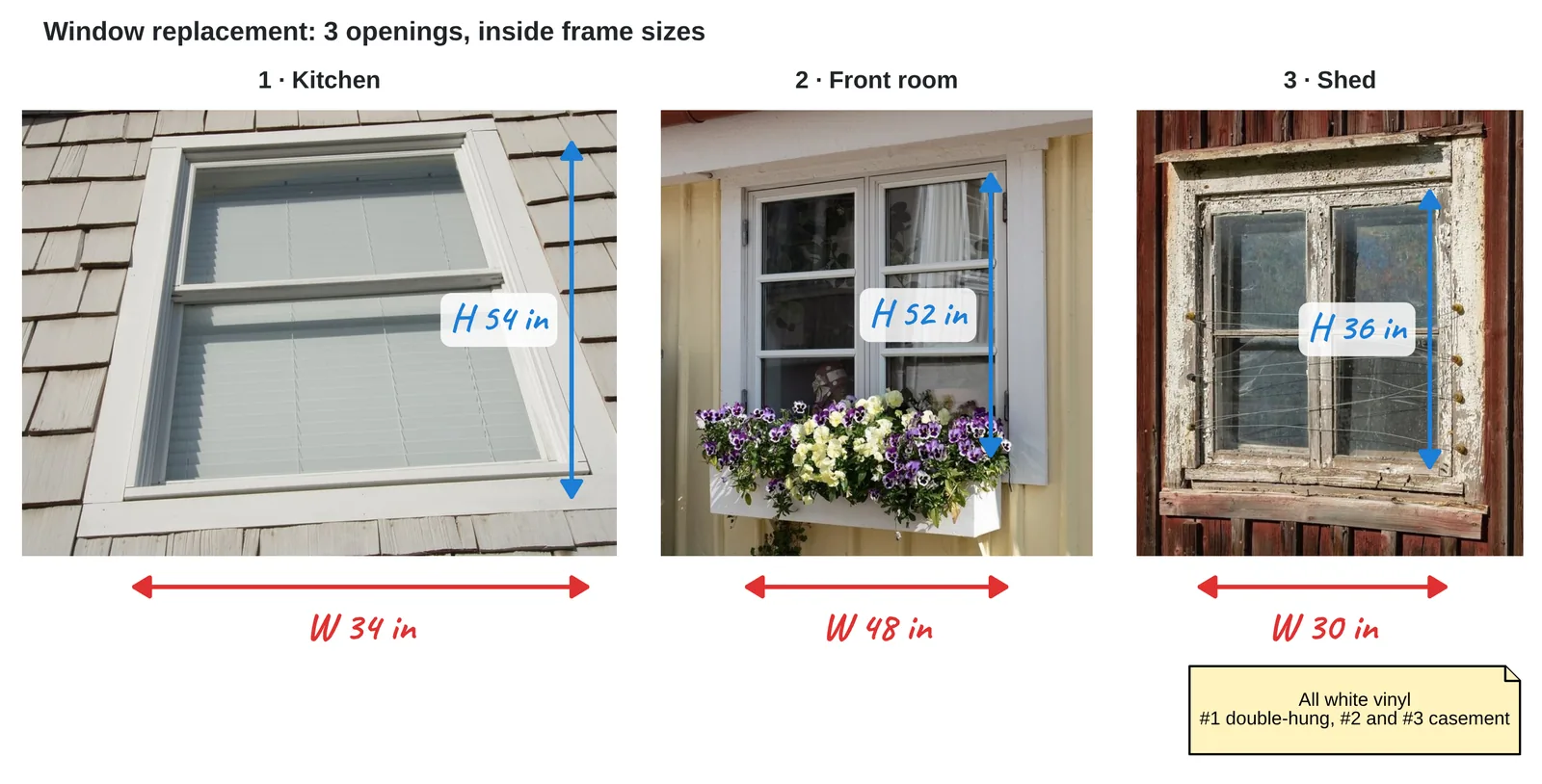
How to record window and door sizes in Lekh
1.Photograph each opening and add the photos to one board for the job.
2.Mark the sizes. Draw arrows across the width and height and write the measurements you took. Lekh straightens the arrows.
3.Add the details: style, colour, opening direction, the room. Text goes anywhere.
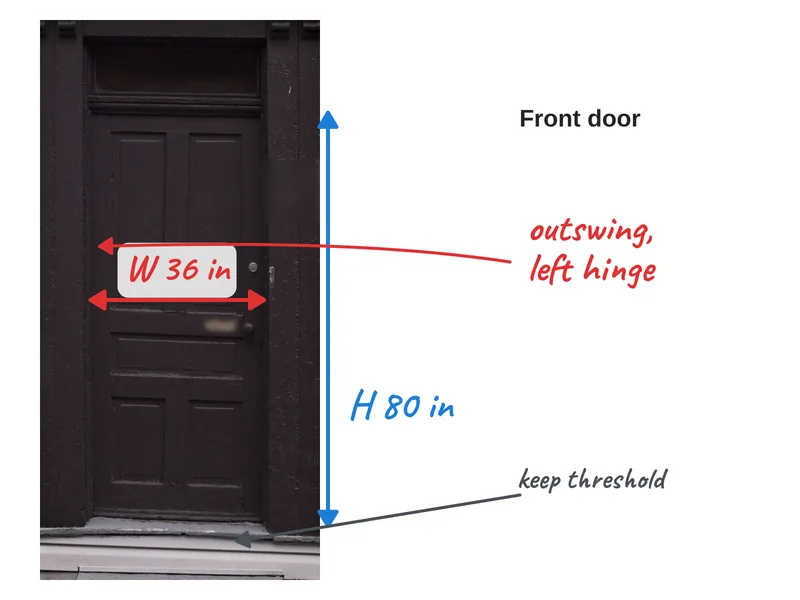
4.Export and share. Send a PDF to the supplier or the customer, or share the cloud board with your team.
Why Lekh for window and door measurements
- One board per job, however many openings: an infinite canvas.
- Works offline on site; syncs later.
- Every device: Android, iPhone, iPad, Mac and the web.
- Sketch a quick floor plan next to the photos, to scale in inches or cm, to show where each opening is.
- Export a PDF or PNG for the order.
Questions
Can I write measurements on a photo of a window?
Yes. Add the photo to a board, draw arrows across it and write the width and height as text. You enter the sizes you measured; Lekh doesn't measure the photo.
Can I keep every window of a house on one sheet?
Yes. A Lekh board is an infinite canvas, so every photo and note for a job fits on one board. Export it as one PDF.
Does it work without a connection?
Yes. The Android, iPhone, iPad and Mac apps work offline. Cloud boards sync when you're connected again.