Draw on photos: mark up pictures with arrows, notes and measurements
Take a photo of the job, the room or the problem, and draw right on it. Circle what matters, add arrows and write the sizes and notes next to them. Lekh turns your rough circles and arrows into clean shapes, so the marked-up photo is clear enough to send to a customer or a colleague.



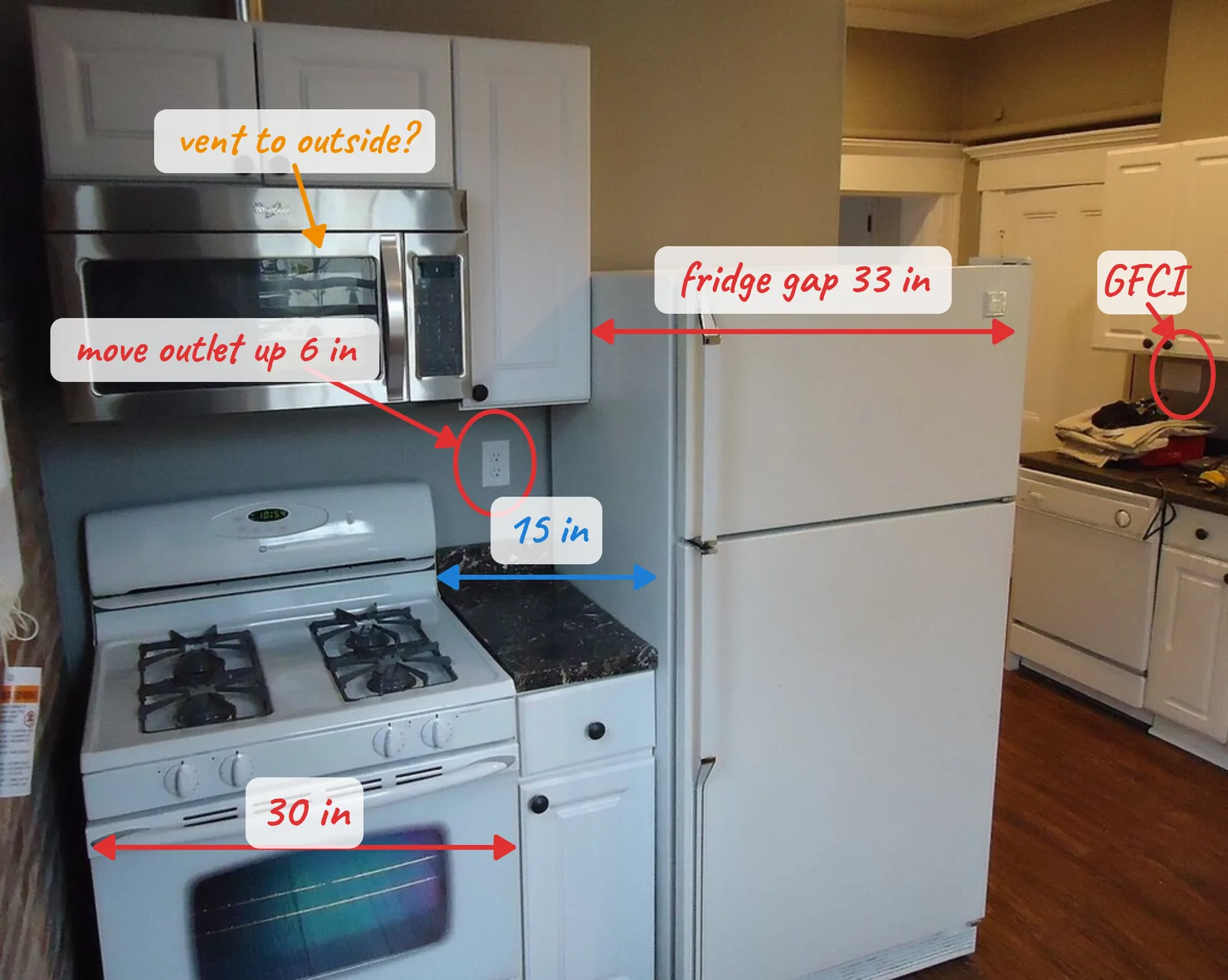
How to mark up a photo in Lekh
1.Add the photo. Import a photo, a screenshot or a plan onto a board, or several photos side by side.
2.Draw on it. Circle, underline and point with arrows using your finger, a pen or a mouse. Lekh cleans up the shapes as you draw.
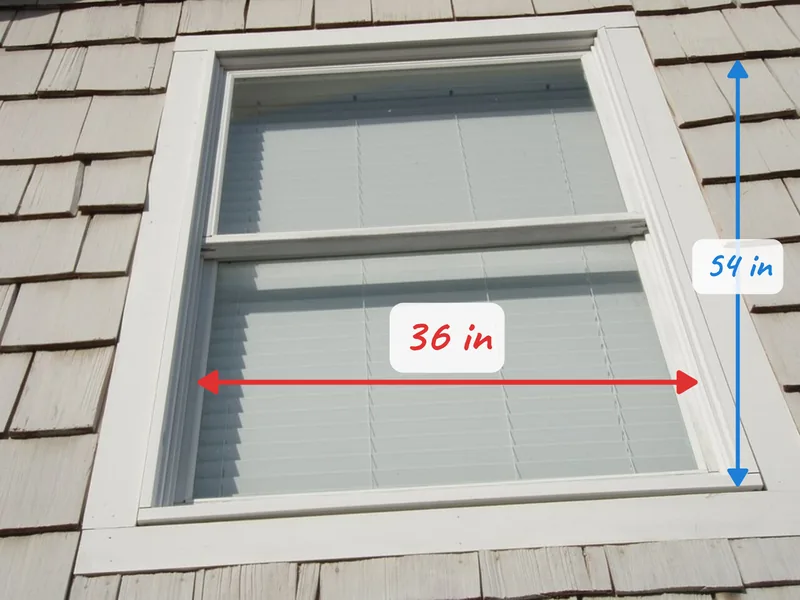
3.Write the details. Add text anywhere for sizes, notes and part numbers. Turn on scaling if you also want to sketch to scale beside the photo.
4.Share it. Export the board as a PDF or PNG, or share the cloud board with your team.
Why Lekh for photo markup
- Every device: Android, iPhone, iPad, Mac and the web, with the same boards everywhere.
- Works offline: mark up photos on site with no signal; cloud boards sync later.
- Many photos, one board: keep every photo of a job, with your notes, on one infinite canvas.
- Sketch beside the photo: draw a quick plan next to the pictures, to scale in inches or cm if you need it.
- Export PDF or PNG for a quote, a report or a message.
Questions
Can I draw on a photo for free?
Yes. Lekh is free with unlimited boards on your device and 3 cloud boards. The Individual plan ($3.99 a month or $34.99 a year) adds unlimited cloud boards, sync and custom shape libraries.
Can I add measurements to a picture?
Yes. Write the sizes as text next to arrows or lines on the photo. Lekh doesn't measure the photo for you; you write the numbers you measured.
Does it work on Android?
Yes. Lekh runs on Android phones and tablets, iPhone, iPad, Mac and in your browser, and works offline on the apps.